


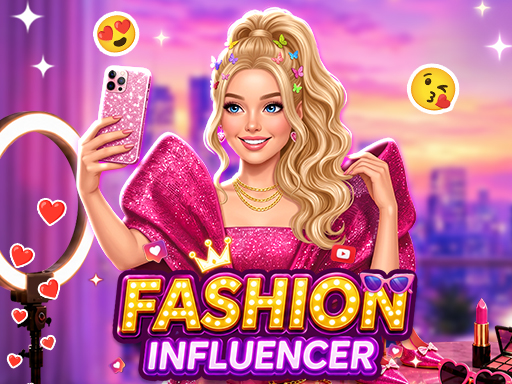
Browse the Dress Up Games collection for fashion, anime, princess, avatar, and paper-doll styling.
Start with the Kind of Game You Actually Want
The easiest way to choose a game is to decide what you want to do during the next few minutes.
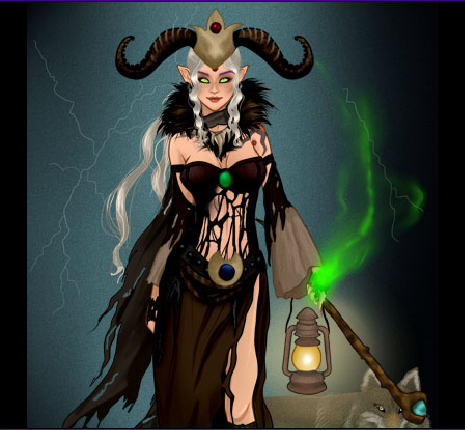
Paper doll and dress up games are the quickest to understand. They usually begin with a character and a wardrobe, so you can start comparing hairstyles, tops, dresses, shoes, and accessories almost immediately. These games are a good choice when you want to make visual choices without following a long tutorial or worrying about a timer.
Hair salon games are more hands-on. Instead of choosing one finished hairstyle, you may need to wash the hair, dry it, cut individual sections, add color, and finish the look with accessories. They take more time than a simple wardrobe game, but the character changes gradually as you use each tool.
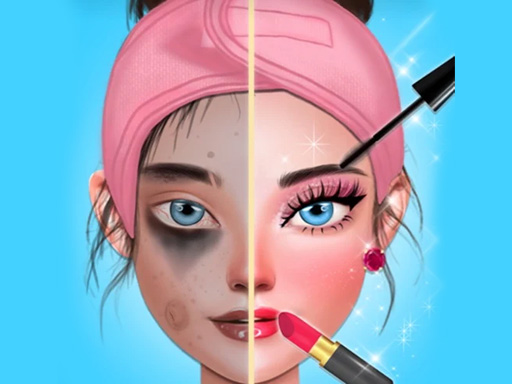
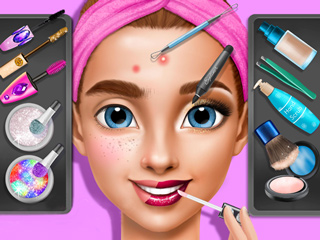
Makeup games can be short or multi-stage. Some begin directly with lipstick, eye shadow, and blush. Others include cleansing, skincare, facial treatments, hair, and clothing before the makeover is complete. If you want an obvious before-and-after transformation, this is usually the best category to open.
Princess games use many of the same dress up and makeover controls, but the clothing is built around formal dresses, crowns, jewelry, weddings, parties, and fantasy settings. Avatar and room games are better when you want to move between characters and spaces instead of completing one makeover and stopping.
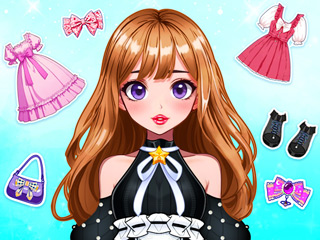
A Good First Game: DIY Paper Doll
DIY Paper Doll is a good place to begin if you want a relaxed game without scores, fast reactions, or difficult controls.
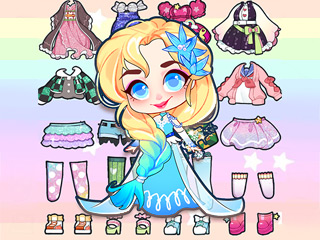
The game is presented like an illustrated paper-doll book. The character appears beside pages of hairstyles, clothes, shoes, and accessories. Most actions use a simple click or tap, so the main activity begins quickly once the provider’s loading screen has finished.
The game is less about reaching a level and more about comparing small choices. A hairstyle changes the outline of the character. A different top can make the same skirt look casual or formal. Shoes and accessories may seem like minor details, but they often decide whether the full outfit feels complete.
There is no reason to keep the first combination you make. Changing one piece and comparing the result is the main point of the game. It works well for a short session, but you can also restart with a different color, hairstyle, or outfit idea.
Choose DIY Paper Doll when you want to build a character slowly rather than compete against a timer.
Try Avatar World Secrets for More than One Makeover
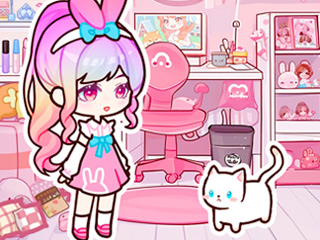
Avatar World Secrets is a better option when one wardrobe screen is not enough. The game includes characters, rooms, everyday objects, and small activities, so the experience is closer to arranging a miniature world than completing a single dress up task.
You can change the appearance of an avatar, move between settings, interact with objects, and create your own sequence of events. There is no fixed story that every player must follow. One session might focus on clothing and room design, while another might involve cooking, playing with objects, or arranging a family scene.
This makes the game suitable for players who like open-ended play and do not need the game to provide a score after every action.
How We Decide Whether to Add a Game
A game is not added only because its thumbnail looks popular.
We first check whether the game page loads in a normal browser. We then try the main controls, wait through the first loading or advertising screen, and make sure the actual game can begin. We also check whether clicking the game keeps the player on the page or unexpectedly opens another website.
Not every game passes that check. Some titles work on the publisher’s own site but refuse to run when embedded elsewhere. Others depend on a platform account, cloud-saving system, or advertising service that does not connect correctly. A game may also stop working later if its provider changes the URL or domain rules.
When that happens, we do not try to disguise the problem with a different button or an endless loading screen. The source has to be reviewed, replaced, or removed.
New games therefore appear gradually. We prefer adding a smaller number of games that have actually been opened and tested over filling the site with pages that lead to broken or redirected games.
What to Expect before a Game Starts
Most games on Girl-Games.io are hosted by external game providers. The game page belongs to this site, but the playable files, loading screen, advertisements, and progress system may come from another company.
A small dress up game may open within a few seconds. Games with music, animated characters, several rooms, or video advertisements can take longer. If the loading screen is still changing, wait before refreshing. Reloading too quickly may make the browser download the same files again.
Some games show their own Play button after the page has loaded. This is not a second installation. It normally activates sound, advertising, or the game provider’s startup process.
Progress saving also varies. One game may store information in your browser, another may use the provider’s cloud service, and a simpler game may restart whenever the page is closed. If the game does not show a Save or Continue option, do not assume that the current makeover or level will be restored later.
Most games use a mouse on desktop computers and taps on supported mobile devices. Games involving detailed dragging, cutting, or small tools may be easier to control on a larger screen.
Find New Games without Losing the Ones You Already Like
Recently added games appear in the New Games section, but a newer game is not automatically a better game.
Some older salon and makeover games have simpler graphics but more tools, clearer steps, or fewer interruptions. Newer games may look more polished while taking longer to load or relying more heavily on advertisements.
Use the category sections when you already know the type of activity you want. Use the recent-games page when you simply want to see what has been added since your last visit.
When you find a title you enjoy, the favourites and recently played features can help you return to the page. These site features remember the game page, but they do not replace the game provider’s own progress-saving system.
Questions Players Usually Have
Why does a game show another Play button?
Some external game providers require a click before they activate sound, advertisements, or the main game files. The additional button belongs to the game provider and does not install anything on your device.
Why is a game taking longer to load?
Loading time depends on the game size, your connection, and the external provider. Games with video advertisements, detailed graphics, music, or several rooms generally take longer than a simple paper doll or dress up game.
Will my progress be saved?
It depends on the individual game. Some save data in the browser, some use a provider account or cloud service, and others begin a new session when the page is reopened. Check the game menu for a Save or Continue option.
Why can a game stop working after it has already been added?
The playable files are supplied by external providers. A provider can later change its game URL, advertising system, platform connection, or domain permissions. When a previously working game becomes unavailable, its source needs to be reviewed again.