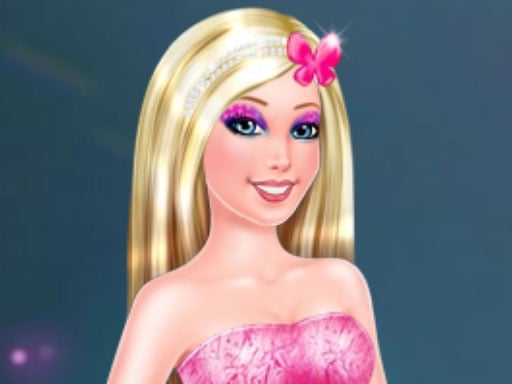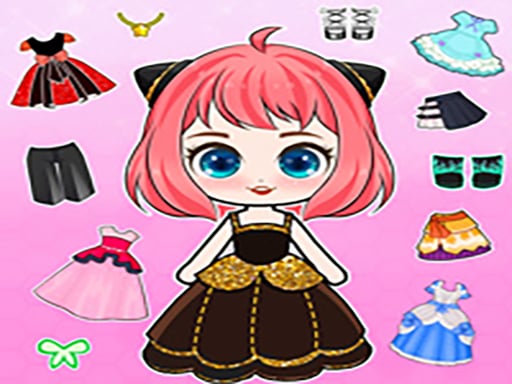
Start with the doll’s face, then build the rest of the character around it. Chibi Doll Dress Up DIY combines a short beauty-treatment opening with a paper-doll-style customization session: clean up the face, adjust visible facial details, choose hair and clothes, and finish with accessories. The DIY part is the combination of ready-made visual elements, not drawing clothing from scratch. Use mouse clicks and drags on desktop or tap and slide on mobile to create a complete chibi look.
What You Can Create in Chibi Doll Dress Up DIY
The main activity is assembling one coherent character from separate appearance choices. Public gameplay descriptions identify face care, facial features, hairstyles, clothing, and accessories as the core options. That gives the game two connected phases:
- a face-treatment stage that changes the doll from its initial unready appearance;
- a dress-up stage where you combine the visible style options into a finished character.
This is why the page fits the dress-up and avatar-customization searches. You are not simply selecting one finished costume. You are making a series of small decisions that affect how the final chibi doll reads: expression, hair silhouette, outfit, and finishing details all work together.
Building Your Chibi Look
1. Begin with the face-care task
The opening screen presents a doll that needs attention before styling. Follow the visible treatment instruction first. Listings describe removing facial blemishes, applying care products, and completing a face-cleaning sequence before the wardrobe opens. The exact number of tools is not confirmed for the embedded version, so use the current visual cue rather than expecting a fixed checklist.
2. Set the facial features
Once the care step is complete, look for the face options. Descriptions of this title mention choices such as eyes, eyebrows, nose, lips, eye colours, and related facial details. Choose the expression before selecting the outfit. A cheerful face, a softer expression, or a more dramatic eye shape can change which hair and clothing combinations feel balanced.
3. Choose the hairstyle
Hair creates the strongest outline around a small chibi face. If the hairstyle is large, bright, or highly detailed, let it become the focal point and keep the clothing quieter. If the outfit is the main statement, choose hair that frames the face without hiding its expression. Treat this as an editorial styling decision; the game does not promise a rating for any particular combination.
4. Add clothing
Move to the wardrobe after the face and hair feel settled. Mix the available clothing pieces instead of changing every category at the same time. Start with the main garment, then check whether the colours and shape work with the hairstyle. The game’s dress-up options are preset elements, so the creative challenge is selecting and combining them rather than manufacturing a new item.
5. Finish with accessories
Accessories are the final layer. Add one noticeable detail first, then decide whether another item improves the character or makes the silhouette too busy. A small accessory can connect the colours of the face and outfit; a larger item can establish a fantasy or playful direction. Review the full doll after each change so the final look remains readable.
Choosing Clothes That Work Together
Start with one focal piece
Pick the item that should be noticed first: a dress, a distinctive hairstyle, or a strong face choice. Build around that decision. When every category is equally bright, the doll can lose a clear visual identity.
Balance hair and accessories
An elaborate hairstyle already adds visual weight near the face. Pair it with a simpler accessory, or use a small colour echo rather than another oversized element. When the hair is restrained, a hat, jewellery item, or other visible accessory can carry more of the character’s personality.
Repeat a detail across the outfit
If the available choices share a colour or decorative motif, repeat it in two places. Matching a hair accent with an accessory or connecting a clothing colour to the eyes can make a preset wardrobe feel intentionally assembled.
Build a character, not only an outfit
The finished design includes the face, hair, clothes, and accessories. Look at the expression and silhouette together. A cute outfit can still feel mismatched if the hairstyle covers the face or the accessories compete with the main garment. Change one category at a time until the character has a clear direction.
These are styling recommendations from the guide, not hidden game rules. The embedded game allows experimentation, so there is no need to treat one theme as the only correct answer.
How to Play
Use the visible category buttons to move through the customization stages. During the face-care opening, drag or click the shown tool where the game indicates. After the treatment, select facial details, hair, clothing, and accessories from the available choices. If a control seems inactive, complete the current action or close the open selection before trying another category.
The most reliable workflow is face first, hair second, clothing third, and accessories last. You can then return to an earlier category to compare alternatives. The provider pages describe the browser version as playable without a download, while the exact options can vary if the external embed is updated.
Ideas for Different Chibi Styles
Soft and cute
Choose a gentle facial expression, a light hairstyle, and clothing with a simple shape. Add one small accessory so the face remains the centre of attention.
Casual character
Start with a relaxed hair silhouette and practical-looking clothing from the available wardrobe. Repeat one colour in the hair or accessory to make the preset elements feel connected.
Fantasy-inspired look
Use the strongest decorative item available as the anchor. Keep the rest of the outfit coordinated rather than adding every dramatic choice at once. This creates a character with a readable theme.
Colour-led design
Choose a main colour, a supporting colour, and a small accent. Check the face and hair before adding accessories; too many unrelated colours can make the final doll feel scattered.
Chibi Doll Dress Up DIY vs. Regular Dress-Up Games
The page’s distinctive intent is character building. A regular dress-up game may focus mainly on selecting an outfit for an already-finished model. This title adds a face-care opening and multiple facial choices before the wardrobe, so the player shapes the character’s identity as well as its clothes. That makes it relevant to searches for a chibi doll game, chibi avatar game, or character creator game.
The “DIY” label should be understood precisely. The confirmed experience is arranging preset face, hair, clothing, and accessory elements into a custom look. It does not establish that players can draw new garments, edit individual pixels, or design clothing from a blank canvas.
Controls
On desktop, use mouse clicks to choose categories and options, and drag when the treatment tool or item requires movement. On mobile, tap the visible option and slide across the doll during interactive care steps. Keyboard controls are not confirmed for this title.
FAQ
What is Chibi Doll Dress Up DIY?
It is a chibi doll makeover and dress-up game. You begin with a face-care task, then customize visible facial features and combine hairstyles, clothes, and accessories to create a finished character look.
How do you play Chibi Doll Dress Up DIY?
Follow the opening face-treatment instruction, then work through the appearance categories shown by the game. Set the face first, choose hair and clothing next, and use accessories as the finishing layer. Click or drag on desktop, or tap and slide on mobile.
What can you customize?
Public descriptions identify facial details such as eyes, eyebrows, nose, lips, and eye colours, followed by hairstyles, clothing, and accessories. The exact item list can change with the embedded provider version, so the current game interface is the final reference.
Does DIY mean I can draw clothes from scratch?
Not confirmed. The documented browser experience is a mix-and-match customization game using available face, hair, clothing, and accessory elements. It should not be described as a clothing-design or drawing tool unless the embed visibly provides that function.
Can I play Chibi Doll Dress Up DIY online for free?
Yes. The Girl-Games.io page presents the title in a browser embed, so no separate download is required to try the game. Provider advertising, availability, and loading behaviour can change independently of this guide.
Can I play it on mobile?
Mobile play is supported by public game listings through tap and slide controls. Keep gestures inside the game frame and use a current browser. If a drag does not register, finish the active treatment action before selecting another item.
Our Test Notes
The current Girl-Games.io page keeps the original game URL, slug, cover image, and provider data. The researched flow is face care followed by facial customization, hair, clothing, and accessories. A fixed character count, item count, unlock system, saving system, photo export, and sharing feature are not confirmed for this embedded build.
More Games You May Like
For another chibi-focused character builder, try Anime Kawaii Dress Up Game. DIY Paper Doll keeps the paper-doll customization idea, while Dress Makeover is a useful comparison when you want outfit-led styling. For a beauty-treatment-first experience, open Girl Crazy Hair Challenge. Browse the full Dress Up Games category or return to Girl Games for more character styling.
Sources and Version Notes
- 8Games — Chibi Doll Dress Up DIY — face treatment, facial details, clothing, hair and accessories.
- FreeGames.com — Create Your Chibi Doll — customization categories and click/drag interaction.
- BabyGames — Chibi Doll Dress Up DIY — face care, facial choices, wardrobe and desktop/mobile controls.
The iframe URL remains the original Girl-Games.io game URL. Public descriptions are used only to document confirmed gameplay; unverified features are intentionally excluded.