Start with the Animal, Not the Finished Hairstyle
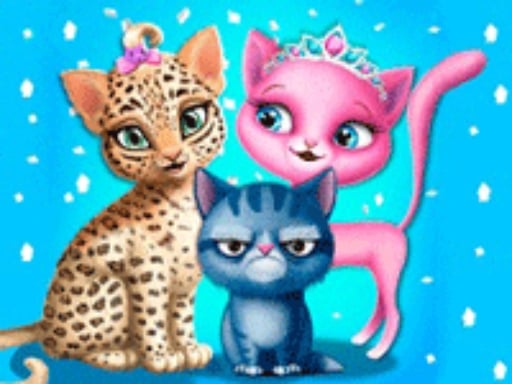
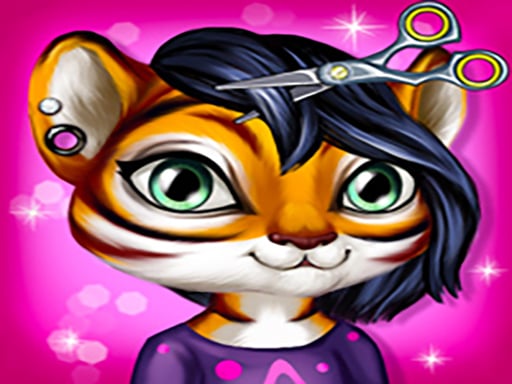
Cute Animal Hair Salon is built around a salon routine for animal clients. The useful order is simple: prepare the hair, wash it, rinse it, dry it, and only then move into the creative styling choices. The game is not just a screen of finished hairstyles. The preparation stage is what makes the later haircut and color choices easier to read.
The animal theme also changes the way a look feels. A hairstyle that works for a long-maned animal can look very different on a striped or spotted client. Treat the client in front of you as the starting point, then decide what kind of finish suits that character.
For another kind of salon sequence, compare Funny Hair Salon with this game. Funny Hair Salon puts more emphasis on treating a hair problem, while Cute Animal Hair Salon focuses on washing, styling and creating a look for an animal client.
The Complete Salon Flow
The public game descriptions and the current embedded version point to a preparation-first workflow. Moving through the stages in order prevents the styling tools from feeling random.
1. Inspect the Current Client
Look at the animal before choosing a dramatic style. Notice the existing hair or mane, the shape of the head, and the visual character of the client. Public listings identify several animal types, including zebras, tigers, giraffes, elephants, lambs and cheetahs. You do not need to give every client the same haircut.
First decide whether the look should stay natural, become playful, or use a stronger color contrast. This is editorial styling advice rather than a required game rule, but making the decision early keeps the later choices connected.
2. Wash the Hair with Shampoo
The first confirmed salon action is washing. Select the shampoo and work it through the hair rather than jumping immediately to the haircut controls. Cleaning is more than a cosmetic detail: it establishes the start of the salon process and prepares the hair for the next tool.
If the action is interactive rather than a single click, move across the full hair area and watch for the game to acknowledge completion. A tool that appears inactive may simply be waiting for the current step to finish.
3. Rinse with the Shower
After shampoo, use the shower to rinse the hair. Keep the sequence in mind: shampoo first, shower second. Starting a later styling action before the rinse is complete can make the interface appear unresponsive because the current salon step has not been completed.
The rinse is also a useful pause before making style decisions. Once the hair is clean, reassess the client instead of automatically repeating the same plan you had before washing.
4. Dry before Cutting or Coloring
Use the dryer after rinsing. Hair that has not been dried is a poor moment to judge the final shape, especially when the next choices involve a cut, a straight look, curls or a new color.
On desktop, use the mouse to click or drag the salon tool as the game requests. On touch devices, public listings describe tap and slide interactions. The exact response can vary with the embedded build, so progress on Girl-Games.io should be judged by the game’s own visual feedback rather than by a general mobile promise.
Choosing the Main Style
Once the preparation sequence is complete, the game opens the creative part of the salon visit. The confirmed options include haircut tools, hairstyle choices, color choices and accessories. These options work best when treated as a connected design rather than four unrelated menus.
Cut and Shape First
Start with the main silhouette. A cut or shape changes the outline that the rest of the look has to support. If the hairstyle is already dramatic, a quieter color can keep the animal’s face visible. If the shape is simple, color can provide the stronger visual change.
You can experiment, but make one major change at a time. That makes it easier to see what changed when you compare the result with the previous version.
Use Color as a Direction
The game descriptions specifically mention natural-looking and brighter color choices, including blue and red examples. A strong color can become the focus of the whole result. Try matching that choice to the animal’s existing markings instead of treating color as a final random click.
For example, a bright color can create a playful contrast against a simpler cut. A quieter color can let curls, straight hair, or the animal’s face carry more of the look. These are styling options, not scoring rules; the game allows you to try different combinations.
Finish with Accessories
Accessories belong at the end because they finish the hairstyle rather than define its basic shape. Add them after you know whether the final look is natural, colorful, curly or straight. If the accessory competes with the hair color, remove or change one of the two focal points.
The salon toolset and accessories are part of what separates this game from a plain dress-up screen. The process is about taking an animal from preparation to a completed salon look.
Matching the Style to the Animal
The clients are not interchangeable in presentation. A giraffe’s long neck and mane create a different visual frame from a small lamb or a striped tiger. One public walkthrough uses Rachel the giraffe as an example and describes a classic style as a suitable direction for that client. Use that as a reminder to read the animal before choosing the most exaggerated option.
Try these approaches:
- Keep the cut and color balanced when the animal’s markings are already strong.
- Let a bright color lead when the base hairstyle is simple.
- Use accessories to reinforce the theme instead of covering the main hair shape.
- Compare a natural version with a playful version before deciding which one fits the client better.
These choices are recommendations, not hidden objectives. The value is in making a visibly different result for each animal rather than repeating one preset idea.
Common Mistakes
Starting the Haircut before Washing
The game presents washing, rinsing and drying as the opening routine. If you jump straight to styling, the next tool may not respond because the active salon stage is unfinished. Return to the preparation action and complete it before testing another tool.
Treating Shampoo and Rinse as the Same Step
Shampoo and shower have different jobs in the visible sequence. If the hair has been washed but the game is still waiting, use the shower before reaching for the dryer.
Choosing Color before the Shape
Color can make it harder to judge the haircut. Decide on the main silhouette first, then choose whether the color should support or contrast with it.
Adding Accessories too Early
An accessory can make a look appear finished before the hair itself is coherent. Leave accessories until the cut, hairstyle and color are already working together.
Changing Everything at Once
When you change shape, color and accessory in one step, it becomes difficult to tell which choice improved the result. Use one major adjustment at a time, especially when you are comparing two possible styles.
If a Tool Does Not Respond
Check the current stage before assuming that the game has failed.
- Confirm that the previous action has visibly completed.
- Use shampoo before the shower, and the shower before the dryer.
- If the tool uses a drag interaction, move across the relevant hair area instead of clicking once in empty space.
- On touch, try the tap or slide gesture described for the game rather than holding a control that expects a short action.
- Wait for the current animation or response before selecting another tool.
These checks follow the published interaction model. Progress saving has not been confirmed for the current Girl-Games.io embedded build, so do not assume that a refresh will preserve an unfinished salon session.
Replay Ideas
The game’s styling choices make short comparison runs useful. Try one client with a natural color and a simple finish, then repeat the same client with a brighter color and a different shape. Another run can focus on accessories while keeping the haircut quiet.
You can also give different animals different style directions: a classic finish for a giraffe, a brighter playful look for another client, and a restrained accessory set for an animal whose markings already dominate the image. The point is not to discover a hidden score. It is to use the available salon choices instead of making every client look identical.
How It Compares with Other Hair Games
Hair Dye is a better next choice when the main decision you want to explore is hair color. Cute Animal Hair Salon adds an animal-client context and a visible wash, rinse and dry routine before styling.
Hair Salon and Dress Up Girl moves beyond hair into a broader character styling result. Cute Animal Hair Salon keeps the attention on the animal hair process and the finishing accessories.
If you prefer treatment before styling, Funny Hair Salon is the closer match. Its guide focuses on addressing a hair or scalp problem before the final haircut and style, while this game’s central difference is the animal salon makeover itself.
Controls and Browser Notes
Public listings describe the game as playable with mouse click and drag on desktop, and tap or slide on touch devices. Use the input method that matches the tool currently shown. The embedded build on Girl-Games.io should be treated as the controlling version for any behavior that differs from public descriptions.
The exact progress-saving behavior of the current embedded build has not been confirmed. The game is presented as an HTML5 browser game by public listings, but device performance and touch response can still vary between browsers.
FAQ
What do you do first in Cute Animal Hair Salon?
Begin with the salon preparation: wash the animal’s hair with shampoo, rinse it with the shower, and dry it before moving into the haircut and styling choices.
Which animals can appear in the game?
Public descriptions mention zebras, tigers, giraffes, elephants, lambs and cheetahs. The current embedded build is the final authority for the exact client selection shown during play.
Can you change the hair color?
Yes. Public descriptions mention color choices such as blue and red alongside haircut and hairstyle options. Use color after the main shape is clear so it supports the finished look.
How do you use the salon tools?
Desktop listings describe mouse click and drag controls. Touch listings describe tap and slide. If a tool does nothing, finish the previous salon stage and try the gesture over the active hair area.
Does progress save?
Progress saving has not been confirmed for the current Girl-Games.io embedded build.
Is this the same as a general dress-up game?
Not exactly. The central loop starts with washing, rinsing and drying the animal’s hair, then moves into cut, color, hairstyle and accessory choices. The salon preparation is a defining part of the experience.
Sources and Version Notes
This guide was checked against public pages describing the browser game and its controls:
- BabyGames — Cute Animal Hair Salon — animal clients, wash/rinse/dry sequence, style and color options, controls.
- YIV — Cute Animal Hair Salon — animal hair salon framing and click/drag or touch interaction.
- 8Games — Cute Animal Hair Salon — salon tools, accessories and the giraffe styling example.
- TopGames — Cute Animal Hair Salon — browser haircut and animal styling description.
- NapTech Games — Cute Animal Hair Salon — HTML5 browser listing and device context.
The current Girl-Games.io iframe remains the version used for this page. App listings for similarly named animal salon products were not used as evidence for this browser game.