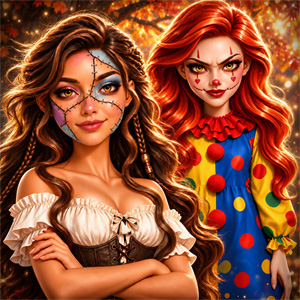
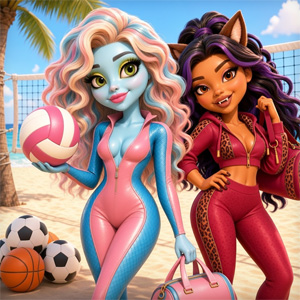
Magic Beauty Makeup is not best understood as a general cosmetics palette. Its strongest mechanic is the theme choice at the beginning. The selected occasion gives the makeover a direction, and the rest of the session is about building a model’s look around that direction with hair, clothes and accessories.
That makes the game closer to a themed paper-doll makeover than to a salon treatment simulator. A music-idol look should not be assembled with the same visual priorities as a wedding look, and a beach-party outfit needs a different balance again.
Choose the Occasion before the Outfit
The YIV game page identifies three themes: Music Idol, Wedding and Beach Party. Other pages describing the same title also present the game as a choice of theme followed by a doll/model styling sequence. The theme is therefore the first meaningful decision, not a decorative label added after the outfit is finished.
Before selecting individual items, ask what the occasion needs:
- A Music Idol look can support a stronger silhouette, more noticeable hair and accessories that read well from a distance.
- A Wedding look usually benefits from a clear focal point, such as the dress or hairstyle, rather than every item competing at once.
- A Beach Party look can use lighter, more relaxed styling and a brighter color relationship.
These are editorial styling approaches, not rules enforced by the game. The important point is to choose a direction before opening every wardrobe category.
The Confirmed Styling Loop
Public descriptions of the YIV version describe a short but connected loop:
- Choose a theme and model.
- Select a hairstyle.
- Choose the outfit or dress.
- Add accessories.
- Review the finished themed look.
The order is useful because the hairstyle establishes the frame around the face, while the outfit establishes the main silhouette. Accessories work best after those two larger decisions have been made.
The game is simple in structure, but the decisions are not interchangeable. A hairstyle that looks good with a wedding dress may feel too formal for a beach theme. A large accessory may disappear against a stage outfit or overwhelm a delicate dress. Treat each category as part of one composition.
Start with the Hairstyle
The public instructions place hairstyle selection at the beginning of the item choices. This is a practical starting point because hair changes the outline of the character immediately.
Look at three things before choosing:
- How much of the face remains visible;
- Whether the hair adds volume or keeps the silhouette clean;
- Whether the color supports the selected theme.
For a Music Idol look, a visible hairstyle can help the character read as a performer. A more controlled style may work better for a wedding outfit, where the dress or formal shape should remain the main focus. A beach look can support a lighter or more playful arrangement.
Do not choose hair only because it is the most dramatic option. A large hairstyle can become the focal point, but it may also make later accessories difficult to see. If the final composition feels crowded, change the hair before removing every accessory.
Build the Outfit around One Main Shape
The outfit is the largest visual block after the hairstyle. It sets the character’s silhouette and gives the theme its clearest signal.
For a wedding theme, first decide whether the dress should communicate softness, elegance or a more decorative look. Then let the hair and accessories support that choice.
For Music Idol, look for a silhouette that reads as stage clothing rather than ordinary daywear. The outfit can carry more contrast, but the hair and accessories should still have room to be seen.
For Beach Party, start with the lighter or more relaxed options if the wardrobe provides them. Bright color is useful here, but brightness alone does not create a beach look; the shape and accessory choices matter as well.
One reliable approach is to choose the outfit before making small color decisions. Once the silhouette is clear, revisit the hair and accessories and remove anything that competes with it.
Use Accessories as the Final Layer
The YIV description includes accessories as part of the final styling sequence. Accessories are valuable because they clarify the occasion, but they are also the easiest category to overuse.
Try this order:
- Choose one accessory that explains the theme.
- Add a second item only if it supports the outfit.
- Check whether the item is visible against the hair and clothing.
- Remove anything that creates a second unrelated focal point.
A wedding accessory can reinforce the formal mood. A stage look can use a more visible accent. A beach-party style may benefit from a lighter finishing detail.
The game is about creating a complete look, not filling every empty space. A finished model with fewer well-matched items can read more clearly than one covered in unrelated decorations.
Theme-Specific Styling Plans
Music Idol
Choose the most readable silhouette first. Stage-inspired styling benefits from a hairstyle that remains visible and an outfit with enough contrast to separate the character from the background.
Use accessories as emphasis rather than clutter. If the outfit already has a strong shape, let the hair become the second visual cue. If the clothing is simpler, a visible accessory can provide the performance-focused detail.
Wedding
Start with the dress and decide what the bride-like look is meant to communicate. A soft dress may need a calmer hairstyle and one delicate finishing item. A highly decorated dress may need simpler hair so the result does not become visually heavy.
Check the full character after each major change. Wedding styling often looks balanced when one element leads and the others frame it.
Beach Party
Use a lighter overall direction and allow color to do more of the work. A relaxed hairstyle and a brighter outfit can communicate the theme without requiring a large accessory.
If the result feels too plain, change one category at a time. Start with hair, then the outfit, then one finishing item. This makes it easier to identify which change improved the look.
How to Compare Two Looks
The game pages describe the ability to return to themes and try different combinations. That gives the game replay value even though the main loop is short.
When comparing two versions, do not change everything at once. Keep the theme and outfit fixed, then change the hairstyle. Next, restore the hair and compare two accessory choices. This reveals which element is actually carrying the look.
Useful comparisons include:
- Same outfit, soft hair versus dramatic hair;
- Same hairstyle, minimal accessories versus layered accessories;
- Same theme, bright color direction versus muted color direction;
- One focal item versus several equally strong items.
This is more useful than simply clicking through every option once. You start to see the role each category plays.
Common Mistakes
Choosing items before choosing a theme
Without a direction, the wardrobe becomes a list of isolated items. Pick the occasion first, then judge each item against it.
Letting the hairstyle hide the face or accessories
Hair changes the frame of the character. If it covers too much of the face or makes the earrings disappear, try a different silhouette.
Making every category the focal point
A dramatic hairstyle, loud outfit and large accessory can compete. Keep one main feature and let the others support it.
Adding accessories too early
Accessories are easier to judge after the outfit is set. Otherwise you may build the rest of the look around an item that does not belong in the final direction.
Treating the three themes as the same wardrobe challenge
Music Idol, Wedding and Beach Party are different styling briefs. Repeating the same formula misses the reason the themes exist.
Changing everything when the result feels wrong
Replace one element at a time. This makes the comparison clearer and prevents a good choice from being discarded accidentally.
If a Selection Does Not Respond
The published controls describe clicking and dragging, with on-screen clues guiding the steps. When an item appears inactive, use this checklist:
- Confirm that the theme/model selection is complete.
- Click the item once before trying to drag it.
- If the interface shows a placement cue, drag across the intended model area.
- Wait for the item to apply before opening another category.
- Return to the active category if the panel changed unexpectedly.
The current embedded build may expose different interaction details from a competitor’s page. If an item is not visible in the Girl-Games.io frame, do not assume it is a hidden unlock; it may simply belong to another version or panel.
A Better Three-Look Replay Challenge
Because the title offers three themes and multiple styling categories, try making three clearly different looks rather than three near-identical outfits:
- Music Idol: hair-led and high-contrast.
- Wedding: dress-led and balanced.
- Beach Party: light, bright and relaxed.
For each one, write down the category that carries the look. If the answer is always “the outfit,” try changing the hairstyle or accessory strategy in the next round.
Another useful challenge is the minimal-look test: choose one hairstyle, one outfit and one accessory only. The goal is to see whether the theme still reads without adding extra decoration.
How This Differs from Makeup Master Game
Makeup Master Game is a guided salon transformation. Its public guide describes skincare, blemish treatment, foundation, eye makeup, lipstick, hair and accessories across a client-focused sequence.
Magic Beauty Makeup has a different center of gravity in the sources that match the YIV version: the player chooses an occasion and builds a themed doll/model look from hair, outfit and accessories. It is shorter and more outfit-led. Makeup Master spends more time on the client’s starting condition and cosmetics progression.
Choose Makeup Master when you want a treatment-to-makeover workflow. Choose Magic Beauty Makeup when you want to compare themed styling directions quickly.
How This Differs from Spa Day Makeup Artist
Spa Day Makeup Artist is described as a service sequence involving facial care, hair spa and massage-style activities. Its identity is the salon treatment loop.
Magic Beauty Makeup, in the YIV version, is about occasion styling. The question is not “which treatment should I perform next?” but “what look fits this theme, and how do hair, outfit and accessories work together?”
The two pages can sit in the same Makeup Games cluster without being interchangeable. One is treatment-led; the other is theme-led.
Controls and Browser Experience
Public YIV instructions describe click-and-drag interaction on PC and mobile-style devices. Use the mouse or touch input to select items, move through the visible styling categories and apply the chosen look.
Exact touch behavior, full-screen behavior and progress persistence have not been independently confirmed for the current Girl-Games.io embedded build. Progress saving should be treated as unknown.
Our Test Notes
Last checked: August 2026 Main controls: Click / drag; touch behavior is source-reported, not independently confirmed here Play style: Theme-led doll/model makeover Confirmed theme set from public YIV sources: Music Idol, Wedding, Beach Party Progress saving: Not confirmed
FAQ
What is the main idea of Magic Beauty Makeup?
Choose a theme, select a model or doll, and build a matching look with hairstyle, outfit and accessories.
Which themes are publicly documented?
YIV and related pages identify Music Idol, Wedding and Beach Party themes.
What should I choose first?
Choose the theme before selecting individual clothing or accessories. It gives the rest of the styling a clear direction.
Does the game focus on skincare?
Public pages conflict. Some portals describe skincare actions, while the YIV version and related pages describe theme-led hair, outfit and accessory styling. This guide follows the latter because it best matches the current title/provider identity; skincare mechanics are not treated as confirmed for the Girl-Games.io iframe.
Can I change the hairstyle?
Yes. Public descriptions include hairstyle selection as part of the themed makeover.
Can I replay a theme with different items?
YIV describes returning to themes and mixing different items. The exact reset behavior should be confirmed in the current embedded build.
Does progress save after refreshing?
Progress saving has not been confirmed for the current Girl-Games.io embedded build.
Is the game mobile-friendly?
Several public listings report browser play on desktop and mobile, with click/tap interaction. Actual behavior should be checked on the current embedded frame before making a stronger promise.
Sources and Version Notes
The primary reference for this rewrite is YIV’s Magic Beauty Makeup page, which documents the three themes, hair/outfit/accessory flow and click-drag controls. The same identity is cross-checked with Kizi, SGameS and Play-Games.
Some portals describe a skincare-heavy variant, including 8Games. Because that description conflicts with the YIV theme-led version, those skincare details are excluded from the confirmed gameplay loop rather than merged into this article.
For another treatment-led beauty game, try Spa Day Makeup Artist. For a deeper multi-client cosmetics routine, open Makeup Master Game. Browse the wider Makeup Games collection when you want more beauty-focused games.