The Diary Is More Than a Wardrobe
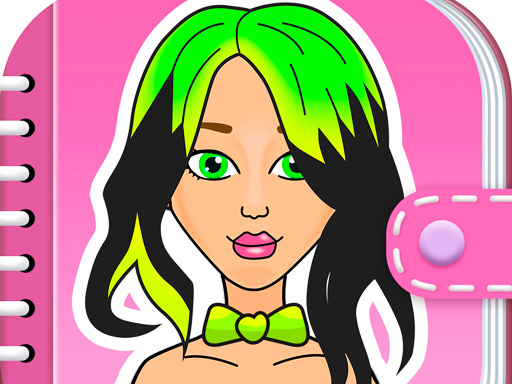
Amazing Paper Doll Diary is built around a small collection of activities rather than one long fashion screen. The paper-doll section is the visual centre: you choose clothing and accessories, compare the result, and build a look that feels complete. The diary also contains a cat-jumping activity and a dog-parkour activity, so the game can change from quiet styling to short obstacle play.
That difference matters when choosing how to play. If you want to design a character, start with the doll. If you want a quick change of pace, look for the animal activities instead of treating every icon as another wardrobe category.
What You See at the Start
The browser build is delivered through the current GamePix player. Let the player finish loading before judging whether a control is missing. Once the game menu is available, look for the paper-doll entry and the animal activities. The exact loading time depends on the embedded player downloading its game files, so repeatedly refreshing during the first load can make the start feel less reliable.
The paper-doll activity places the character in the centre with selectable styling options around the play area. The important first decision is not a tiny accessory. It is the overall direction of the look.
Start with the Doll's Silhouette
Begin with the main clothing choice. A dress, top or larger outfit establishes the shape and colour balance before the smaller items are added. This gives the later choices a job: hair can frame the face, shoes can support the outfit, and accessories can finish the theme.
If you begin by selecting every small decoration, it becomes difficult to see what is actually shaping the result. Choose one main garment, pause, and inspect the character before moving to the next category.
This is a paper-doll workflow. Each item should sit on the character as a visible layer, so the most useful comparisons are simple ones: keep the outfit and change the hair, or keep the hair and change the accessory. One change at a time makes the diary look easier to judge.
Build a Look in Layers
1. Choose the Main Outfit
The outfit is the anchor. Try a clear style direction first: soft colours, a more formal combination, or a playful diary-page look. This is editorial advice rather than a game rule; the browser build does not require one correct fashion answer.
2. Add Hair and Face Details
Once the clothing direction is clear, choose hair or other visible character details that support it. A strong hairstyle can become the focal point, while a simpler hairstyle leaves more attention on the clothes. Compare the full character rather than judging an item in isolation.
3. Finish with Shoes and Accessories
Small items work best at the end because they complete an existing direction. If the look already has several bright elements, a quieter accessory may create better balance. If the outfit is very plain, one decorative item can give the character a clearer identity.
The goal is not to use every available item. The goal is to make the layers feel intentional.
How to Compare Two Outfits
The diary format is useful for comparison. Make a first version quickly, then change only one category in a second version. For example:
- Keep the outfit and compare two hairstyles.
- Keep the hairstyle and compare a simple and a decorated accessory set.
- Keep the clothing colour and test a different shoe or finishing item.
- Review the whole character at the end instead of looking only at the last item selected.
This method also helps when the game feels visually busy. You can identify which layer caused the imbalance without rebuilding the entire doll.
The Animal Activities Change the Pace
The public game descriptions identify two non-dress-up activities in the diary: a cat-jumping game and a dog-parkour game. These are not just extra wardrobe categories. They shift the player from selecting objects to guiding an animal through obstacle-style play.
For the cat activity, look for the timing of the jump rather than trying to treat it like the wardrobe screen. For the dog activity, watch the path and obstacles before making a move. The available controls and timing can vary with the embedded build, so use the on-screen prompts as the final authority.
The useful design choice is separation: dress the doll when you want a calm visual task, then use an animal activity when you want a short reaction-based break.
A Practical Order for the Paper-Doll Mode
Use this sequence when the wardrobe feels cluttered:
- Pick the paper-doll activity.
- Select one main outfit.
- Check the character's overall shape and dominant colour.
- Add hair or face details that support that direction.
- Choose shoes or one finishing accessory.
- Remove or replace any item that competes with the main look.
- Compare the finished version with one alternative.
This is not a forced level order. It is a reliable way to make the visual choices easier to read.
Common Styling Problems
Everything becomes the focal point
If the outfit, hair and accessories are all equally loud, the character can look unfinished even when many items are applied. Keep one element in charge and let the others support it.
The accessory is chosen too early
An accessory can look good by itself but conflict with the outfit chosen later. If the full character feels disconnected, remove the last decorative item first and compare again.
A new item appears but the look feels worse
That is a comparison problem, not necessarily a loading problem. Return to the previous category and change one item at a time. The paper-doll format makes this safer than replacing the entire design.
The game seems stuck on loading
Wait for the GamePix player and its assets to finish. If a wardrobe control does not react after the game is interactive, try the visible item itself rather than an empty area around it. On touch devices, tap the item directly and allow the selection to finish before tapping another category.
Controls and Browser Notes
The public listings describe mouse click or tap controls for the browser version. Use clicks to select wardrobe items on desktop and taps where the embedded player accepts touch input. The animal activities may require timing or movement according to their on-screen prompts; do not assume the wardrobe selection control is the correct input for every mini-game.
The current embedded build is the version to trust for controls. Public listings agree that this is an HTML5 browser game, but progress saving has not been confirmed for the Girl-Games.io embed. Treat a refresh as a possible reset rather than assuming that a diary outfit will be stored.
Why Play It Again?
Replay value here comes from switching between activities and comparing visual decisions, not from a confirmed score or unlock system. Try a restrained outfit, then a more decorative one. Keep the same clothes and change only the hair. After that, leave the wardrobe and test one of the animal activities.
These small changes create different sessions without pretending that the game has a progression system that has not been verified.
How It Differs from Other Paper-Doll Games
Paper Dolls DIY Diary is the better next choice if you want a more explicitly diary-themed wardrobe flow with clothing, makeup, hairstyles and accessories. DIY Paper Doll keeps the focus on straightforward paper-doll styling.
Amazing Paper Doll Diary sits between those two ideas because its wardrobe activity is paired with the cat and dog mini-games. Choose it when the change from fashion selection to light animal play is part of the appeal. For a room-and-character approach instead, Avatar World Secrets adds spaces and interactive objects rather than a paper-doll wardrobe.
Frequently Asked Questions
What is Amazing Paper Doll Diary?
It is an HTML5 browser game that combines paper-doll dress-up with a cat-jumping activity and a dog-parkour activity.
What should I do first?
Open the paper-doll section, choose the main outfit, and then build the look in layers with hair, shoes and accessories.
Does the game have only dress-up content?
No. Public listings for this title also identify cat jumping and dog parkour as separate mini-games.
Is there one correct outfit?
The available descriptions present the wardrobe as a selection activity rather than a confirmed scoring challenge. Treat the choices as comparisons and create the combination you prefer.
What controls should I use?
Use mouse clicks on desktop and taps where the embedded version supports touch input. Follow the on-screen instructions in the animal activities.
Does progress save after a refresh?
Progress saving has not been confirmed for the current Girl-Games.io embedded build.
Can I play on mobile?
Public listings describe browser play on desktop and mobile, but the exact touch experience can depend on the embedded player and viewport. Check the current embed on your device rather than assuming every control behaves identically.
Sources and Version Notes
This guide was checked against the current Girl-Games.io GamePix embed and the following public game listings:
- GameMonetize game listing — provider identity, direct embed, and the three activity types.
- GamePix game listing — HTML5/browser identity, paper-doll styling description and click/tap controls.
- 8Games game listing — wardrobe actions and the cat/dog mini-game descriptions.
- Zarium game listing — cross-check of the casual paper-doll and animal-activity identity.
Provider and third-party listings describe the same browser title, but exact mobile behaviour and progress saving remain unconfirmed for the Girl-Games.io embed.
For more paper-doll styling, browse Dress Up Games or try Kawaii Chibi Creator.