Build the Character from the Face Outward
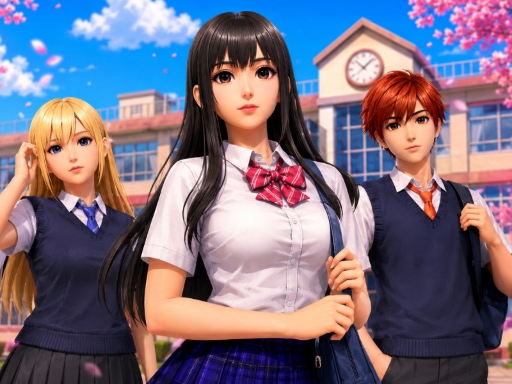
Anime Avatar Design is not a normal outfit picker with an anime image placed on top. Its central idea is character construction. Begin with the face and identity of the avatar, then use hair, clothes and accessories to make that identity readable as a complete design.
The game presents a girl in the centre and a lower panel with categories for changing the appearance. Public descriptions consistently mention facial features, eyes, skin tone, hair, clothing and accessories. That category-based structure gives you a useful order: establish the character first, set the silhouette second, and decorate last.
For a more fashion-led anime doll experience, try Anime Kawaii Dress Up Game. For a smaller, more accessory-focused creator, compare Kawaii Chibi Creator.
The Character-Building Workflow
The exact browser version associated with the current GameMonetize iframe is described across public listings as an HTML5 avatar-design game. The sources agree on the customization categories, but they do not establish a fixed level system, score formula or save feature. Treat the page as a creative avatar builder rather than assuming a progression game.
1. Start with the Face
The face determines the character’s first impression. Before choosing clothes, inspect the available options for eyes, brows, nose shape and skin tone. These are not minor details: they change the expression, age impression and visual direction of the avatar.
Choose one identity before opening every other category. A softer face can support a gentle, pastel character. A sharper eye shape or stronger brow can support a more confident or dramatic design. These are styling interpretations, not rules enforced by the game.
2. Use Eyes and Brows Together
Public descriptions specifically identify eye color and eyebrow choices. Evaluate them as a pair. Eye color provides a strong accent, while brows influence the expression around it.
If the eyes are already bright, a quieter brow can keep the face balanced. If the eye color is subtle, a clearer brow shape can give the avatar more personality. Change one of these categories at a time so you can see which choice is actually improving the character.
3. Set the Hair as the Face Frame
Hair is the bridge between facial identity and clothing. A long or decorative hairstyle changes the outline around the face; a shorter shape leaves more attention on the eyes and brows. Choose hair after the face, not before it, because the same style can produce a different impression on a different facial combination.
Color is part of that decision. A bright hair color can become the main focal point, while a calmer color gives clothing or accessories more room. If every category uses a saturated color, simplify one element before adding another.
4. Establish the Outfit Silhouette
Once the face and hair are working together, choose the main clothing direction. Think first about the silhouette rather than the smallest decorative detail. Is the avatar meant to read as soft, elegant, casual, energetic or fantasy-inspired?
The game allows you to experiment with outfits, so this is a good place to make a clear choice. A simple outfit can make an unusual hairstyle stand out. A detailed outfit can support a simpler face and hair combination.
5. Finish with Accessories
Accessories are the final layer of the avatar. Public descriptions mention fashion accessories alongside clothing and hair. Use them to clarify the character’s direction, not to hide an outfit that has not been decided.
One strong accessory is often easier to read than several competing items. If the avatar already has a bold hairstyle and clothing color, a smaller finishing detail may complete the design more effectively than another large decoration.
How to Create a Character That Feels Original
The creator’s freedom is most useful when the categories are connected. Try this three-question check after each major change:
- What is the first thing I notice about the avatar?
- Does the hair support the face or compete with it?
- Does the outfit explain the same style direction as the character’s expression?
If the answer changes unexpectedly, return to the last category you edited instead of rebuilding everything. This makes the design process faster and helps you learn which options have the greatest visual effect.
Soft Character Direction
Use a gentle facial expression, a calmer hair color and a simple clothing silhouette. A small accessory can add personality without becoming the main subject.
Strong Character Direction
Let one feature lead: a striking eye color, a distinctive hairstyle or a bold outfit. Keep the other categories controlled enough that the leading choice remains visible.
Anime Reference Direction
Public game descriptions mention that players can use the categories to recreate familiar anime-style character ideas. If you try that approach, match the broad signals first—hair, eye color, expression and clothing direction—rather than copying one detail and ignoring the rest of the silhouette.
Common Mistakes
Choosing Clothes before Knowing the Character
An outfit can look attractive while still failing to give the avatar a clear identity. Start with the face and hair so the clothing has a character to support.
Changing Every Facial Feature at Once
When eyes, brows, nose and skin tone all change together, it becomes difficult to understand the effect of each option. Make one facial adjustment, then review the whole avatar.
Letting Hair Hide the Expression
Decorative hair can be the most noticeable item on the screen. If the face no longer reads clearly, try a less dominant hairstyle or adjust the other colors instead of adding more accessories.
Using Too Many Focal Points
Bright eyes, bright hair, detailed clothing and large accessories can compete. Decide which category leads and simplify at least one other area.
Assuming the Game Saves a Finished Avatar
Some third-party listings make save claims, while others do not, and the current embedded build has not been independently confirmed for saving. Treat a design as temporary unless the game itself clearly provides a save control.
If an Option Does Not Apply
The public control descriptions are simple: click with a mouse or tap the screen to select customization options. If an option does not respond:
- Click or tap the category item itself rather than the empty panel around it.
- Wait for the avatar preview to update before selecting another category.
- If the current interface presents a movable item, use the requested drag gesture; do not assume every control is drag-and-drop.
- Check that the game frame has focus, especially after scrolling the surrounding page.
The source material does not establish a universal fix such as refreshing or clearing storage. Progress saving is not confirmed for the Girl-Games.io iframe, so do not rely on a refresh to preserve the current design.
Replay Ideas
The game’s category-based design supports short, deliberate replays. Keep the same outfit and create three different facial identities. Then keep the face and compare a soft hairstyle, a bold hairstyle and a simple hairstyle.
Another useful run is to start with one unusual item and build around it. Choose a distinctive eye color or accessory first, then select hair and clothing that make that choice feel intentional. This is a player-created challenge, not a documented in-game mode.
How It Compares with Similar Games
Anime Kawaii Dress Up Game focuses on building an anime fashion look around a doll and a clear kawaii styling direction. Anime Avatar Design puts more emphasis on the construction of the character’s face, eyes, brows and skin tone before the outfit is finished.
Kawaii Chibi Creator is a closer match for quick cute-character experimentation. Choose Anime Avatar Design when you want more attention on facial identity and anime avatar structure.
Fashionista Avatar Studio Dress Up is better suited to fashion-led avatar styling. Here, the distinctive step is deciding who the anime character is before deciding what that character wears.
Controls and Browser Notes
Public listings describe mouse interaction and touch selection. Use a click or tap to apply a visible option. If the current control visibly asks for movement, follow that prompt rather than applying a blanket drag instruction.
The game is identified publicly as an HTML5 browser title. Mobile support claims vary between listings, and the exact touch response of the current Girl-Games.io embedded build has not been independently verified here. Progress saving is also unconfirmed.
FAQ
What can you customize in Anime Avatar Design?
Public descriptions identify facial details, eyes, brows, skin tone, hair, clothing and accessories. The current iframe is the final authority for the exact options visible in each category.
Should I choose the outfit first?
A face-first workflow is easier to control. Establish the expression and hair frame, then choose clothing that supports the character’s direction.
Can I change eye color and facial features?
Yes, public descriptions specifically mention eye color and several facial feature categories. Make one change at a time so the effect remains easy to compare.
Is there a fixed goal or level system?
No reliable source used for this browser version confirms levels, rewards or a fixed score objective. The available evidence supports treating it as a creative avatar-design game.
Can I save the avatar?
Saving has not been confirmed for the current Girl-Games.io embedded build. Some external listings make different claims, so they should not be applied automatically to this iframe.
Can I play on mobile?
Some public listings describe mobile browser play, while another listing reports a mobile limitation. Because those claims conflict, mobile behavior should be checked on the current embedded build rather than promised universally.
What should I play next?
Try Anime Kawaii Dress Up Game for anime fashion styling, or browse Dress Up Games for more character and outfit creators.
Sources and Version Notes
This guide was checked against public pages for the Anime Avatar Design title and its browser identity:
- 8Games — Anime Avatar Design — face, eyes, skin tone, hair, clothing and accessory categories.
- Jogos 360 — Anime Avatar Design — browser title identity, hair, brows, eye color and accessories.
- Poki — Anime Avatar Design — mouse/tap control description and mobile-support conflict.
- JuegosArea — Anime Avatar Design — matching title and basic character-design description.
The current Girl-Games.io iframe remains the version of record. Mobile, saving, score and progression claims were kept conservative where public sources conflicted or provided no reliable confirmation.