Style the Royal Look Before the Details
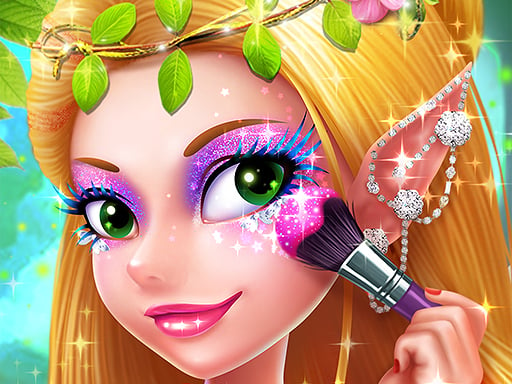
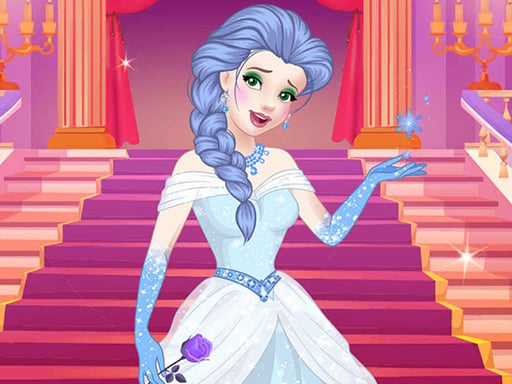
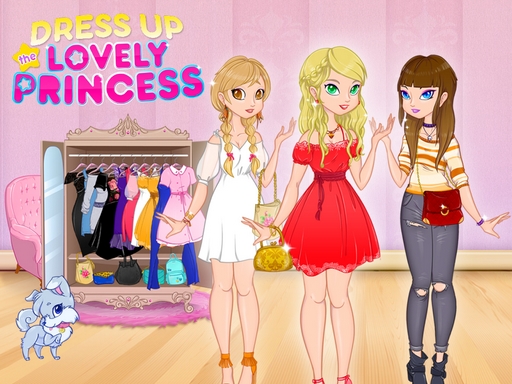
Dress Up The Lovely Princess is a focused royal styling game. The main decision is not simply which dress looks attractive; it is how the dress, hairstyle, makeup, accessories and optional pet detail work together as one occasion-ready look. Public browser listings describe gowns, tiaras and hairstyles, while other descriptions also mention clothes, makeup, handbags, shoes and a pet.
Start with the occasion you want to suggest. A formal gown can lead the design, while a younger modern look can use simpler clothes and a brighter colour accent. The browser build does not require one confirmed correct outfit, so treat the choices as visual comparisons rather than a hidden fashion score.
Build the Princess in Layers
- Choose the main dress, top or outfit silhouette.
- Select a hairstyle that frames the face and supports the clothing.
- Add shoes or a handbag that belongs to the same style direction.
- Choose a tiara, jewellery or other royal accessory.
- Apply makeup if the current build exposes those controls.
- Add the pet or scene detail last when it is available.
The main clothing establishes the occasion. Hair changes the outline around the face, while the tiara and jewellery communicate the royal theme. Small details are most effective after the larger decisions are stable.
Choose One Royal Direction
For a classic ballroom look, let the gown and tiara carry the design and keep the supporting accessories quieter. For a modern princess, use a simpler outfit with a stronger hairstyle or handbag. A playful school-style look can use a lighter palette and fewer formal details.
These are styling approaches, not game rules. The useful test is whether the completed character communicates one clear idea without every item competing for attention.
Makeup, Hair and Accessories
If makeup is available, compare it after choosing the clothes. A strong lip or eye colour can support the dress, but it can also pull attention away from the hairstyle and tiara. Hair should frame the face rather than hide the main expression.
Accessories work as punctuation. One memorable tiara or necklace can make the royal idea clear; adding every large decoration may make the silhouette harder to read. If the look feels too busy, remove the newest accessory before replacing the dress.
Common Mistakes
Choosing the tiara first
A tiara is a finishing signal. Select the main silhouette first so the crown matches the scale and formality of the outfit.
Mixing unrelated colour directions
If the dress, hair and accessories all use different dominant colours, the look can lose its centre. Keep two elements in the same family and reserve contrast for one accent.
Making every category dramatic
The princess does not need the most elaborate dress, hair, makeup and jewellery at the same time. Let one element lead and simplify the rest.
Treating the pet as part of the outfit
If the current build includes a pet choice, use it as a scene detail. It should support the royal mood rather than compete with the princess's face and clothing.
If a Choice Does Not Apply
Use the mouse or tap the visible item in the wardrobe panel. If a choice does not appear, check that the current category is active and that the provider has finished loading. Try selecting the item again, then inspect the character for a layer hidden behind hair or clothing.
The current GameMonetize browser build is the authority for controls and available categories. Do not assume that a mobile app or another portal exposes exactly the same options. Progress saving has not been confirmed for the Girl-Games.io embed.
Replay Ideas
Create a classic gown-and-tiara version, a modern princess version and a restrained look using one strong accessory. Keep the same face while changing only the hair, then keep the hair while changing the outfit. These comparisons show which layer changes the character's identity most.
Compare It with Other Princess Games
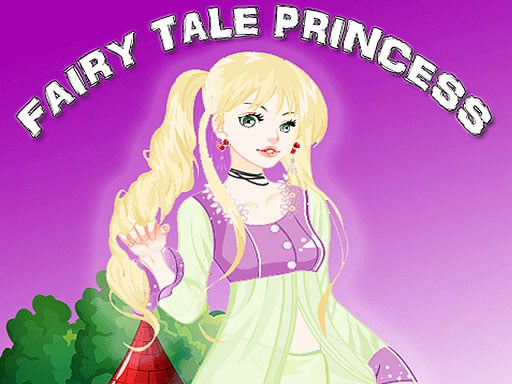
Fairytale Princess is another outfit-led princess experience, while Princess Dressing Up Game offers a broader princess styling direction. Long Hair Princess Salon is the better choice when hair treatment and salon work matter more than the final royal wardrobe. Browse Princess Games for the wider cluster.
What Players Usually Search For
The useful questions for this game are practical: which clothing item should be chosen first, how do you make the princess look formal without making the screen crowded, how should hair and makeup match the gown, and what should you check when an item does not appear?
The answer is to build the look from large decisions to small ones. Start with the outfit silhouette. Then set the hair and face. Add shoes or a handbag only after the main colour direction is clear. Finish with the tiara, jewellery and pet detail if those options are visible.
This is not a timed fashion contest in the confirmed browser description. No verified score or single correct costume is documented. The guide is therefore about making the choices easier to compare, not about finding a secret winning combination.
Start with the Occasion
The same princess can suggest different stories depending on the clothes. Before browsing every item, choose the occasion you want the final screen to communicate:
- a formal ball;
- a modern royal outing;
- a softer storybook scene;
- a playful look with a pet companion.
These are styling directions, not official game modes. They give the wardrobe a purpose. Without a direction, it is easy to select the biggest dress, the brightest hair and the most detailed tiara simply because each item looks attractive on its own.
One element should lead. If the gown is dramatic, let the hair and accessories support it. If the clothing is simple, a stronger hairstyle or handbag can provide the character's main identity.
Build the Outfit Silhouette First
The main dress, top or clothing set determines the character's largest shape. Look at the waist, skirt width, sleeves and overall length before thinking about jewellery.
A formal gown usually communicates the occasion immediately. A simpler outfit leaves more space for a modern hairstyle or a brighter accessory. Neither is more correct; they create different princess characters.
Choose the outfit before the tiara because the tiara's scale should relate to the clothing. A very ornate crown can look appropriate with a grand gown but oversized beside a minimal outfit.
Compare the Whole Shape
Do not judge a clothing item only in the wardrobe panel. Check the full character after applying it. The outfit may change how much of the hair remains visible or how strongly the face stands out.
If the silhouette feels heavy, try a simpler hairstyle before discarding the dress. If it feels too plain, add one clear accessory rather than layering several unrelated details.
Choose Hair to Frame the Face
Poki and other public listings identify beautiful hairstyles as part of the core game. Hair is more than a decorative category: it frames the face and affects the balance between the head and the dress.
Use a hairstyle that supports the outfit's direction:
- a neat style can keep a detailed gown readable;
- fuller hair can give a simple outfit more presence;
- a dramatic shape can become the focal point, so the tiara should be lighter;
- a softer hairstyle can leave room for a stronger necklace or handbag.
Change the hair after the outfit so you can see what it is supporting. If you change both at once, it becomes harder to tell which layer improved the design.
Makeup Should Support the Face
GamePix and other listings mention makeup categories for this title family, while the current GameMonetize build remains the final authority for which controls appear. When makeup is available, choose it after the clothes and hair have established the look.
The face should remain visible. A strong eye or lip colour can provide focus, but making every facial detail equally intense may compete with the tiara and gown.
Try this balance:
- Look at the hairstyle's face framing.
- Select one main facial accent.
- Keep the surrounding makeup quieter.
- Recheck the face beside the full outfit.
This is editorial styling advice, not a claim about a required makeup sequence.
Shoes and Handbags Are Connecting Pieces
Public descriptions mention shoes and handbags as part of the wider styling set. These pieces connect the large outfit to the smaller accessories.
Use a shoe or handbag to repeat a colour already present. A repeated colour makes the look feel designed. A completely new colour can work as contrast, but it should have a clear role instead of appearing only once.
If the gown is already ornate, choose a quieter connecting piece. If the outfit is simple, a handbag can become the small detail that gives the character a more modern direction.
Tiaras, Jewellery and Royal Signals
The tiara is the clearest royal signal, but it should be treated as a finishing layer. Choose the main outfit and hair first, then compare the crown against the face and the top of the silhouette.
If the tiara is large or bright, reduce the visual weight of the necklace. If the neckline is simple, a necklace can provide the missing detail while the tiara remains restrained.
The same rule applies to bracelets and other jewellery: choose one strong royal cue and let the rest support it. More jewellery does not automatically make the character look more regal.
Using the Pet or Scene Detail
Some public descriptions mention a pet option. If the current browser build exposes it, treat the pet as part of the scene rather than as another clothing layer.
Ask whether the pet belongs to the same story direction. A playful companion may suit a modern or softer look, while a formal ball design may need a quieter scene detail. The pet should not cover the princess's face or become the first thing the eye notices.
This option is not confirmed as present in every platform version, so follow the current embed rather than expecting the mobile or portal version's exact menu.
A Complete Princess Styling Workflow
Use this workflow when you want a dependable result:
Pass One: Occasion
Choose the story direction before touching small details.
Pass Two: Silhouette
Select the main dress or clothing set and check the full body shape.
Pass Three: Frame
Choose a hairstyle that balances the face and clothing.
Pass Four: Face
Apply the visible makeup options, using one main facial accent.
Pass Five: Connect
Choose shoes or a handbag that repeat or intentionally contrast with the main palette.
Pass Six: Crown
Add the tiara and jewellery after the outfit is stable.
Pass Seven: Scene
Add the pet or optional detail last, then review the complete composition.
The game may allow these choices in another order. This sequence is a practical method for reducing random selection and making each change easier to understand.
How to Make Three Different Looks
Classic Ball Princess
Let the gown and tiara lead. Use a polished hairstyle, a controlled face and one accessory that repeats the gown's colour.
Modern Royal Look
Use a simpler outfit, a more noticeable hairstyle and a handbag or shoe colour as the main accent. Keep the tiara restrained so the result does not become too formal.
Storybook Companion Look
Choose a softer palette and let the pet or small scene detail support the character. Avoid adding a second dramatic focal point beside the companion.
These are replay concepts, not official challenges, rewards or level requirements.
If an Item Does Not Apply
When a selection does not appear, use this checklist:
- Confirm that the correct wardrobe category is open.
- Click or tap the visible item once.
- Wait for the character layer to update.
- Check whether the item is hidden behind hair or clothing.
- If the item requires placement, drag it over the visible target.
- Return to the current category rather than repeatedly selecting a different item.
The current GameMonetize browser build is the authority for the available categories. Do not assume that an app listing's options, save behaviour or mobile layout are present in this embed.
Common Search Problems and Answers
“How do I dress the princess?”
Start with the outfit silhouette, then add hair, makeup, shoes, handbag, tiara and jewellery in layers. Review the whole character after each major category.
“How do I make a royal outfit?”
Use a clear gown or formal silhouette, then let one tiara or necklace provide the strongest royal detail. Keep the remaining accessories quieter.
“Why does my princess look messy?”
Too many dominant elements may be competing. Remove the newest accessory, reduce the strongest colour or simplify the hairstyle before replacing the entire dress.
“Why is the crown too much?”
The tiara may be too detailed for the dress or hairstyle. Try a simpler hair frame or a quieter necklace so the crown has space without dominating the face.
Frequently Asked Questions
Select the available clothes, hair and accessories with mouse clicks or touch controls. Review the complete character after each major category rather than selecting items too quickly.
What should I choose first?
Start with the main outfit silhouette, then choose hair and finishing accessories that support it.
Is there one correct royal look?
No confirmed scoring requirement is documented for the current browser build. Create a coherent style direction and compare alternatives.
Can I change the hairstyle and accessories?
Public listings identify hairstyles and royal accessories such as tiaras. Use the options visible in the current embedded build.
Does progress save?
Progress saving has not been confirmed for the current Girl-Games.io embed.
For more styling ideas, visit Princess Games or browse Dress Up Games.
Sources and Version Notes
- Poki listing — browser identity, royal styling, gowns, tiaras, hairstyles and platform details.
- GamePix listing — browser dress-up identity and hair, makeup and fashion categories.
- Zarium listing — clothing, shoes, handbags and hairstyle cross-check.
- Google Play listing — Playtouch identity; app-only claims were not imported into the browser guide.