Build the Character, Not Just the Dress
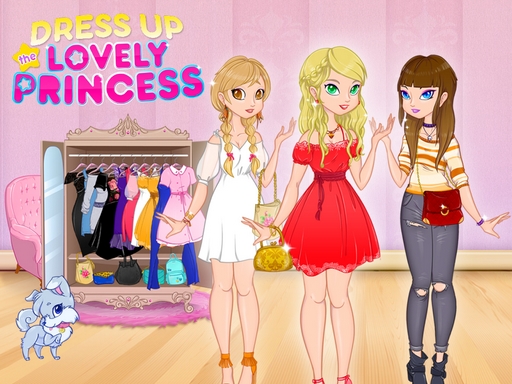
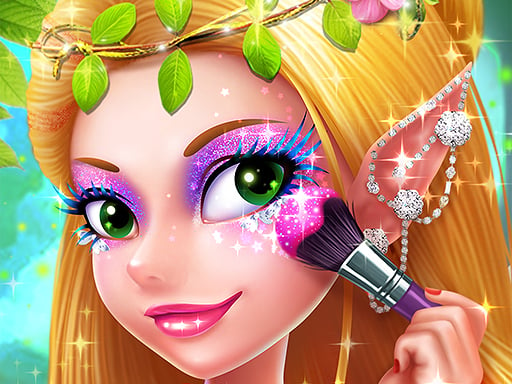
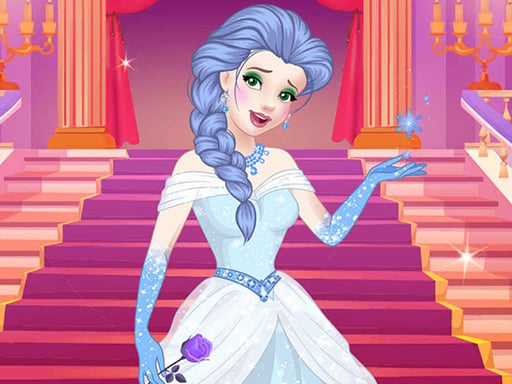
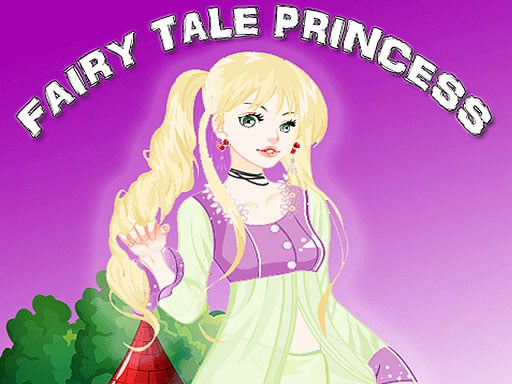
Fairytale Princess is a visual character-creation game built around one central figure and a set of independent styling layers. The browser build is titled Fairytale princess inside its HTML5 runtime, and its character is assembled from separate elements including eyes, hair, clothes and a dress-like costume layer.
That structure changes how you should play. The dress is important, but it is only one part of the picture. A successful result comes from making the face, hairstyle, clothing and fairy-tale mood point in the same direction. You can create a quiet storybook princess, a brighter fantasy heroine or a more dramatic royal character without needing a documented score or a single correct answer.
What the Browser Version Contains
The current GameMonetize HTML5 file loads a single fairytale-princess scene with separate character layers. The runtime names visible components for the doll, eyes, hair, clothes and background, which matches the public description of a dress-up game where the player decides how the girl and dress should look.
The public gameplay material also describes independent colouring and mix-and-match styling. This is useful because it confirms that the game is about comparing combinations, not completing a fixed puzzle. The current build does not expose a confirmed level count, reward system, unlock tree or save system, so this guide treats the experience as an open styling session.
The Best Starting Order
The interface may allow you to select items in a different order, but this sequence makes the visual decisions easier:
- Decide the story mood.
- Choose the main dress or clothing silhouette.
- Set the hair shape and colour.
- Adjust the eyes and face details.
- Add smaller fairy-tale accents.
- Review the full character before starting another combination.
The reason for starting with a mood is simple: the game gives you freedom, so the main challenge is not finding a correct button. It is avoiding a collection of attractive items that do not belong to the same character.
Choose a Story Mood First
Before opening every option, give the character a simple direction. For example:
- a soft woodland princess;
- a formal ball character;
- a bright fairy-tale heroine;
- a darker enchanted-forest look.
These are player-created themes, not named game modes. They help you make decisions consistently. If you begin with no direction, you may keep replacing one item without learning why the result feels unfinished.
One element should lead.
If the dress is highly detailed, let it carry the story. If the hair is unusual or strongly coloured, simplify the clothing around it. If the eyes become the main focal point, avoid placing every other bold detail near the face.
The Dress Is the Silhouette
The main clothing layer determines the character's shape before anyone notices the small accessories. Start by checking the outline rather than the decoration.
Look at the width of the skirt, the position of the waist, the sleeve or shoulder shape and the amount of visual detail. A large, ornate dress may already communicate “royal ball.” A simpler dress leaves more room for hair, colour and smaller fairy-tale elements to carry the mood.
Colour the Large Area First
Public gameplay material for this same title describes creating an all-pink or all-white dress and also mixing fabrics or colours independently. The practical implication is that colour is not just a final filter. It can change the entire character's identity.
Try one dominant colour before experimenting with several. A single colour makes the silhouette easy to judge. Once the shape works, add a second colour only where it supports the first.
Use Contrast Carefully
A pale dress can make darker hair or a stronger eye colour stand out. A saturated dress may need quieter face details. This is styling advice, not a rule enforced by the game.
If the outfit looks flat, change the contrast between the main dress and the hair. If it looks noisy, remove a colour before adding another accessory.
Hair Changes the Fairy-Tale Role
Hair is a framing layer. It changes the width and height of the character's head and can make the same dress feel gentle, formal or dramatic.
Compare the hairstyle against the dress before choosing its colour. A large hairstyle can become a second silhouette, while a close or simple style lets the clothing remain the main statement.
Hair Shape Before Hair Colour
The public description confirms that the game allows different hairstyles and hair colour. Use that freedom in two steps:
- Choose the shape that frames the face well.
- Choose a colour that repeats or balances the clothing palette.
Changing both at once makes it difficult to understand the result. When testing a new look, keep one of the two variables stable.
Natural and Fantasy Directions
A natural hair colour can make the clothing feel more important. A bright or unusual colour can turn the character into a more magical figure. Neither is the correct answer; the choice depends on the story mood you selected at the start.
Eyes and Face Details
The browser runtime includes a separate eyes layer, and public gameplay descriptions mention changing the girl as well as the dress. Treat the face as the character's expression, not as another place to add maximum colour.
Look at the eyes after choosing the hair because the hair changes the surrounding frame. If a fringe or large style covers part of the face, a strong eye choice may become the focal point. If the face is fully open, the clothing may need to carry more of the visual story.
Try to keep the face readable at the same time as the outfit. Zooming in on one category can make a combination look good in isolation while the complete character feels unbalanced.
Layering the Clothing and Details
The game is most useful when you treat each selection as a layer with a job:
- the dress establishes the silhouette;
- the hair frames the face;
- the eyes establish expression;
- clothing details support the story mood;
- accessories provide the final punctuation.
If two layers are doing the same job, reduce one. For example, a strongly decorated dress and a heavily decorated head area may compete. A simpler crown or hair colour can make the dress easier to appreciate.
A Practical Styling Workflow
Use this workflow when you want a repeatable session rather than random clicking.
Pass One: Shape
Choose the dress and hair without worrying about perfect colour. Check whether the character's outline feels intentional.
Pass Two: Palette
Select one main colour and one supporting colour. Compare the dress and hair together before touching smaller details.
Pass Three: Face
Adjust the eyes and face layer. Check whether the expression fits the story mood and whether the hair is hiding or framing the face.
Pass Four: Finish
Add only the fairy-tale details that strengthen the concept. Then step back and judge the full character rather than the newest item.
This four-pass method is editorial advice for using an open dress-up system. The game does not publish these as required stages.
If a Choice Looks Wrong
Do not replace the whole character immediately. Isolate the problem:
- Keep the dress and change the hair.
- Keep the hair and change the colour.
- Keep the palette and change the eyes.
- Remove one decorative layer.
This turns the game into a useful comparison exercise. You learn which relationship caused the problem instead of simply cycling through every option.
Common Mistakes
Starting with the Smallest Detail
An accessory cannot establish a good silhouette. Begin with the dress and hair so later choices have a clear context.
Changing Shape and Colour Together
When both change at once, you lose the ability to compare. Test shape first, then colour.
Making Everything Magical at Once
Fairy-tale themes invite bright colours, dramatic hair and ornate clothing. If all three are equally strong, the character may lose a clear focal point.
Judging Only the Clothing Thumbnail
The final result includes the face and hair. Always review the complete character before deciding that a dress works.
Assuming There Is a Hidden Correct Look
The public material presents the game as a creative dress-up experience and does not document a score or required outfit. Treat the choices as creative options unless the current interface visibly gives you a specific instruction.
Replay Challenges
The flexible styling system supports several safe replay ideas:
- Create an all-one-colour dress, then create a two-colour version.
- Keep the dress unchanged and compare three hairstyles.
- Build the same silhouette once with natural hair and once with fantasy colour.
- Make a quiet storybook character using only one strong detail.
- Make a dramatic enchanted character with the hair as the focal point.
These are not official missions, rewards or unlocks. They are ways to make a second session meaningfully different from the first.
Controls and Troubleshooting
The current game is a canvas-based HTML5 dress-up build. The public listing describes mouse drag-and-drop interaction, so use a deliberate press-and-move gesture when an item needs to be placed rather than clicking repeatedly.
If nothing changes:
- Check that the item is visibly active.
- Click or hold the item before moving it.
- Drag toward the character, not an empty edge of the canvas.
- Release only after the item is over the intended area.
- If the canvas is still loading, wait for the game to finish before repeating the gesture.
The current embedded build does not confirm progress saving. Avoid promising that a refresh will preserve an unfinished character.
How It Differs from Other Princess Games
Beauty Princess Save Prince uses beauty preparation and a ball outfit inside a story-framed transformation. Fairytale Princess is more open-ended: its focus is constructing the visual character and experimenting with dress, hair, eyes and colour.
Magic Princess Dress Up is a better next step when you want a more explicitly magical princess styling direction. Fairytale Princess is less about a named occasion and more about designing the princess herself.
For a paper-doll wardrobe experience, try Paper Princess Doll Dress Up. That game keeps the royal styling idea but presents it through a more specific paper-princess identity.
A More Careful Colour Method
Colour is one of the most useful freedoms in this game because it affects large areas and small details differently. Start by separating the palette into a base, a support colour and a highlight. The base belongs to the dress or the largest clothing area. The support colour can appear in the hair or a smaller clothing layer. The highlight is the small bright detail that gives the character a finished fairytale feeling.
Do not make every layer equally bright. If the dress already uses a vivid pink, blue or white, try a quieter hair tone and reserve the highlight for the eyes or one accessory. If the dress is pale, a stronger hair colour can give the character enough definition without adding extra clothing detail.
When the game lets you colour parts independently, change only one part first. Compare a single-colour dress with a mixed-fabric version before adding more hair or face changes. This creates a useful visual baseline and makes the next choice intentional.
Working with the Background
The current runtime includes a fairytale background layer. Background and character should feel like the same scene, even when the background is not something you actively edit.
Look for the visual temperature of the scene. A bright or soft background can support a light dress and gentle hair. A more dramatic scene can support stronger contrast, but the character still needs to remain visible at the centre.
If the character disappears into the background, adjust the dress or hair contrast rather than adding more decoration. A clear outline is more valuable than another small item. The background is the stage; the princess is the subject.
From Random Items to a Finished Character
An open dress-up game can feel less satisfying when every choice is made as a separate click. Use short review points while styling:
After the Dress
Ask what kind of character the silhouette suggests. Is it formal, playful, gentle or dramatic? Keep that answer in mind for the hair.
After the Hair
Check whether the face is still readable. If the hair changes the frame around the eyes, adjust the face layer before adding details.
After the Colour
Look at the palette from a distance. If the eye moves to too many places, remove contrast from one layer.
Before the Final Detail
Ask what the character still needs. Sometimes the answer is a small accent; sometimes the strongest finish is to stop.
This review habit is especially useful when trying a second or third design. It turns the session into a series of comparisons rather than a long chain of unrecorded changes.
Three Ways to Compare a Design
When two looks both seem attractive, compare them using a fixed question instead of choosing by memory.
Compare the Silhouette
Hide the small details mentally and look only at dress and hair. Which version has the clearer outline?
Compare the Focal Point
Where do you look first: the face, the dress or the hair? A strong result usually has one answer rather than three competing answers.
Compare the Story
Can you describe the character in one short phrase? “Quiet forest princess” or “bright royal heroine” is more useful than a list of items. If you cannot describe the look, one layer may need simplifying.
These questions are editorial tools for a game with flexible choices. They are not a rating system built into the browser version.
Who Will Enjoy This Style of Game?
Fairytale Princess suits players who prefer visual experimentation over timed tasks. It is a good fit for someone who wants to compare hairstyles, colour combinations and dress silhouettes without needing a documented level route.
It is less suitable if you are looking for a puzzle with one answer, a competitive score or a long progression system. The current sources do not establish those features. The value comes from the character-design loop and the ability to make a different visual decision on the next attempt.
If you enjoy dress-up games as small visual design exercises, use the final screen as a portfolio of decisions: note the dominant colour, the hair shape and the detail that leads the eye. Then change only one of those three on the next run. That simple comparison gives the open-ended scene a clear sense of progress without inventing a reward system the game does not document.
FAQ
What is Fairytale Princess?
It is a browser dress-up game where you design a storybook princess by combining clothing, hair, eyes and fairy-tale styling details.
What should I choose first?
Start with a story mood, then choose the main dress or clothing silhouette. Add hair and face details after the large shape is clear.
Can I colour the dress?
Public gameplay material describes choosing colours and mixing fabric or dress elements independently. The exact options depend on the current browser build.
Can I change the hair colour?
Public descriptions identify hair colour as part of the styling choices. Use it after choosing the hairstyle so you can judge colour and shape separately.
Is there one correct princess look?
No public source confirms a required outfit or scoring system. The game is presented as a creative dress-up experience.
Why is drag-and-drop not working?
Hold the item before moving it, drag toward the character's active area and release only after the game has had time to register the placement.
Does the game save my design?
Progress saving has not been confirmed for the current Girl-Games.io embedded build.
Our Test Notes
- Current iframe: GameMonetize HTML5 Fairytale princess build recorded in the game data.
- Runtime title: Fairytale princess dress up.
- Play style: Open storybook character styling.
- Controls: Mouse click and drag; public listings describe drag-and-drop.
- Confirmed layers: doll, eyes, hair, clothes and fairytale background elements in the current runtime.
- Progress saving: Not confirmed.
- Last checked: August 2026.
Related Princess and Dress-Up Games
If you want a story-framed beauty transformation, play Beauty Princess Save Prince. If you want a royal paper-doll wardrobe, try Paper Princess Doll Dress Up. For a magical styling variation, continue with Magic Princess Dress Up or browse Princess Games.
Sources and Version Notes
- Current GameMonetize HTML5 build — runtime title and current browser asset structure.
- DressUpGames: Fairytale Princess Maker — character and dress design context.
- GirlsGoGames: Fairytale Princess — royal wardrobe and ball context for the same named dress-up game family.
- YouTube gameplay listing — colour, fabric, hairstyle and hair-colour interaction examples.
- KidzSearch: Fairy Tale Princess Dressup — mouse drag-and-drop control reference.
Version note: the direct iframe was checked and identifies itself as Fairytale princess dress up. Public sources agree on the open dress-up concept and styling layers; this guide excludes unconfirmed levels, rewards, unlocks, multiplayer and save behaviour.
How to Play
Use the mouse or touch controls to select the available items. Combine the choices to finish the princess's outfit.
Find more royal styling games in Princess Games and Dress Up Games.