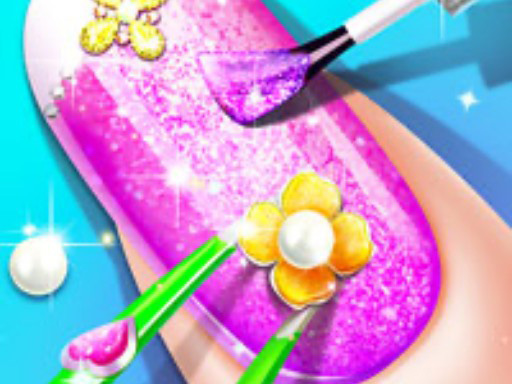
Princess Nail Makeup is a focused manicure builder rather than a general princess dress-up game. The browser version starts with a hand setup and lets you shape, color and decorate the nails. The creative decision is the complete set: shape, base color, finish and decorative details need to work together.
Set Up the Hand First
The published game instructions describe choosing a hand setup before painting. Depending on the control shown, you can adjust the background or skin tone and choose a nail form before applying polish. Make those structural choices first; changing color repeatedly is less useful when the nail shape has not been decided.
Choose a Nail Shape and Finish
The game pages identify multiple nail forms, including oval, square and ballerina-style shapes. After choosing a form, browse the polish palette. You can use a solid color, a glitter finish or a picture/pattern-style option when it is available in the current panel.
Start with one dominant shade across the set, then add contrast to selected nails. This is a styling suggestion, not a score requirement. The game is designed for trying combinations rather than following one correct princess look.
Add Decorations Carefully
The available descriptions mention rhinestones, crystals, patterns and stickers. Apply these after the base color so they remain readable. If every nail receives a different large decoration, the set can look busy; repeating one small motif is an easy way to create a more coherent result.
Some portals describe each nail as individually customizable. If the embedded interface exposes that level of control, use it to create an accent nail or a repeated pattern. If a control is not visible in the current build, do not assume it is unlocked or available.
Controls and Common Problems
Use the mouse or tap the visible palette and nail controls. Select the polish or decoration, then apply it to the nail area shown by the game. If a selection does not appear, try tapping the nail itself after choosing the product and check whether the panel has more options to scroll through.
Common issues are usually sequence-related:
- Choosing decoration before selecting a nail shape.
- Applying a product outside the nail target.
- Assuming every palette item is a separate game stage.
- Refreshing before the finished design has been recorded or viewed.
A Useful Salon Order
Think of the design as four connected decisions:
- Choose the hand presentation and nail form.
- Select a base polish or finish.
- Add a pattern, glitter or picture effect.
- Place crystals, rhinestones or stickers as the final accents.
The order makes the result easier to judge. A decoration that looks attractive on an empty nail may disappear against a strong glitter base. Start with the surface, then decide which details deserve attention.
How to Use Accent Nails
An accent nail is useful when the palette contains a very bright colour or a large picture. Keep most nails within the main colour family, then use the strongest pattern on one or two visible nails if the interface allows individual selection. Repeating the same small gem or sticker can also create a set without making every nail identical.
This is editorial styling advice, not a confirmed score system. The browser game presents the design visually; it does not require one correct princess manicure.
Troubleshooting the Palette
If a polish appears in the panel but not on the hand, check that the nail form has been selected and that the product is being applied to the nail target rather than the skin area. If the panel has arrows or more options below the first row, scroll or use the visible navigation before assuming the item is missing.
If only one nail changes, check whether the current build is using individual nail selection. Do not assume that a mobile app's customization behaviour is identical to the embedded browser version.
Replay Ideas
Create one restrained salon set with a single polish family, one glitter set with a repeated accent, and one princess-inspired design built around crystals or stickers. Keep the nail shape fixed while changing the finish; then keep the finish fixed while changing the shape. These comparisons show which choice is carrying the look.
Compared with Other Beauty Games
Spa Day Makeup Artist offers facial, hair-spa and body-care services, while Princess Nail Makeup stays on the smaller canvas of manicure design. Magic Beauty Makeup is centered on skincare and cosmetics for the face. Choose Princess Nail Makeup when the appeal is precise nail styling and decoration rather than a full makeover routine.
What to Search for When the Manicure Looks Wrong
The most useful questions are practical: how do you choose the right nail shape, which colour should come first, why did the decoration disappear, and how can the final hand look royal without becoming crowded?
Princess Nail Makeup answers these through layers. The hand presentation and nail form establish the canvas. Polish establishes the largest colour area. Glitter, picture effects or patterns change the surface. Crystals, rhinestones and stickers provide the final detail.
If a result feels wrong, change the layer that caused the problem instead of starting over immediately. A glitter base may be hiding a sticker. A large crystal may be competing with a detailed picture effect. A shape may leave too little room for the pattern you wanted to use.
Begin with the Hand Presentation
Public descriptions place hand setup before painting. If the current panel exposes a background, skin-tone or hand presentation option, choose it before the nail form and polish.
This step is easy to ignore because it may not change the nail itself, but it changes the contrast around the design. A pale hand presentation can make a strong colour stand out. A different background can change how the same polish reads on screen.
Do not spend too long changing the presentation while the nail form is undecided. Select a starting point, build the manicure, and return only if the complete design needs a different contrast.
Choosing Oval, Square or Ballerina Shapes
The published game descriptions mention multiple nail forms and specifically identify oval, square and ballerina-style examples. Shape should be selected before colour because it determines the visual space available for the rest of the design.
Oval
An oval form can support a softer princess look. It works well when the design depends on a gentle colour transition or a small repeated decoration.
Square
A square form gives the design a clearer edge. It can suit a flat colour, a geometric pattern or a stronger contrast between base and accent.
Ballerina
A ballerina-style form creates a more fashion-led silhouette. Because the outline is distinctive, keep the rest of the design organised so the shape remains visible.
These are styling approaches, not rules. The game does not publish a correct shape for a particular princess or a confirmed score formula.
How to Choose the Base Colour
Start with a colour family that matches the direction you want:
- pale or soft colours for a delicate royal look;
- richer colours for a formal or dramatic manicure;
- cool colours for a crisp, jewel-like finish;
- a bright accent when the shape and base are otherwise simple.
Use one dominant shade first. Look at the complete hand before adding contrast. If the base already has glitter or a picture effect, the nail may need fewer decorations than a plain polish would.
The goal is not to match every nail perfectly. A coordinated set can use one base across most nails and a different treatment on one or two accent nails when the current interface supports individual selection.
Solid Polish, Glitter and Picture Effects
These options create different starting surfaces.
Solid Colour
A solid colour gives patterns, stickers and crystals the clearest background. It is the easiest option when you are testing a decoration for the first time.
Glitter
Glitter already contains many small highlights. Use it as the leading effect and keep the additional decorations smaller or more widely spaced.
Picture or Pattern Polish
A picture-style finish can become the manicure's main theme. Let it remain visible. If a sticker covers the strongest part of the image, move the sticker or remove it before changing the whole base.
The exact controls vary by build, so use only the effects visible in the current GameMonetize version.
Building a Princess Colour Palette
A royal manicure does not need every nail to be ornate. Choose a main colour, a supporting colour and one highlight. The supporting colour can repeat in a crystal or sticker. The highlight can be reserved for one accent nail.
When the colours feel disconnected, look for the single item that introduces an unrelated tone. Removing that item is often more effective than adding another colour to compensate.
For a classic princess look, let the base stay light and use a small jewel-toned accent. For a dramatic look, allow the base to be richer but keep the decorative motif consistent. For a playful look, use contrast on one or two nails instead of turning the entire hand into a collection of unrelated colours.
Placing Patterns and Stickers
Patterns should be added after the base is stable. If the current build lets you select individual nails, use the pattern on an accent nail first and then decide whether repeating it improves the set.
A repeated small motif can connect several nails without making them identical. A single larger sticker can become the focal point. Both work if the rest of the hand leaves it room.
If a sticker does not apply, check whether the current nail must be selected first. If only one nail changes, that may be how the embedded interface is designed rather than an error.
Crystals, Rhinestones and Final Balance
Crystals and rhinestones are finishing details. They catch the eye, so place them after the colour and main pattern decisions.
Use them to answer one of three needs:
- add a small highlight to a plain nail;
- repeat an existing colour;
- mark the accent nail clearly.
If the nail already contains glitter and a picture effect, a crystal may be unnecessary. The strongest royal design is often the one where the crown-like detail is visible instead of hidden among too many objects.
A Full Salon Workflow for First-Time Players
Use this order when you want to avoid restarting:
- Choose the hand presentation shown by the game.
- Select the nail form.
- Apply a plain base colour and inspect the hand.
- Decide whether a glitter or picture finish improves the direction.
- Add one pattern or sticker.
- Add crystals or rhinestones only where the design needs a highlight.
- Review the full hand at normal size.
- Change one layer at a time if the result feels crowded.
This order is a practical guide derived from the confirmed tool categories. It is not a claim that every panel is locked in this exact sequence.
If the Tool Does Not Work
When a product appears in the palette but nothing changes, check:
- the nail form has been selected;
- the correct nail or hand target is visible;
- the product is active rather than only highlighted in the menu;
- a previous action has finished;
- the palette has more options to scroll through.
Apply the product to the nail surface, not the surrounding hand. If the current control requires a click-and-drag gesture, hold the mouse button while moving across the active area. On touch, use the gesture shown by the interface rather than tapping the tool icon repeatedly.
Do not assume that a missing item is locked behind a level. The public sources do not confirm an unlock tree for the current embed.
Three Replay Designs
Delicate Princess Set
Choose an oval form, a pale solid base and one small crystal detail. Keep the pattern light so the shape remains visible.
Jewel-Tone Royal Set
Use a richer base, a restrained picture effect and one repeated gem colour. Let the colour do most of the work.
Accent-Nail Experiment
Keep most nails simple and use the strongest pattern or sticker on one accent nail if the current build allows it. Compare the result with a version where the motif repeats across the hand.
These are player-created design challenges, not official stages, rewards or scoring targets.
Common Search Problems
“How do I start Princess Nail Makeup?”
Begin with the hand setup and nail shape, then apply the base polish before choosing decorations.
“How do I make princess nails?”
Use a coordinated colour family, choose one royal accent such as a crystal or sticker, and keep the hand readable instead of decorating every surface equally.
“Why did my nail sticker disappear?”
The base or finish may be covering it, or the current nail may not be selected. Recheck the active nail and try the decoration after the polish has finished.
“Can every nail be different?”
Some public listings describe individual nail customisation. Confirm whether the current embedded interface exposes that control before planning a different design for every nail.
FAQ
Which nail shapes are available?
Public game descriptions specifically mention more than ten shapes and give oval, square and ballerina as examples. The exact visible set may depend on the current build.
Can I change nail colors and decorations?
Yes. Sources describe color palettes plus solid, glitter and picture-style polish options, along with decorative patterns, crystals or stickers.
Can every nail have a different design?
Some listings describe individual nail customization. Confirm the controls shown in the embedded game before relying on a particular per-nail option.
Does the game save a finished design?
Saving is not confirmed for the Girl-Games.io browser embed. Do not assume a refresh will preserve the design.
What should I do if the game does not advance?
Complete the current nail selection, apply the product to the visible target, and check for a confirmation or next control. A previous shape or polish step may still be active.
Sources and Test Scope
The gameplay details were cross-checked with the 8Games description, the KidzSearch listing, and the Jeuxclic embed page, which exposes a public HTML5 embed. These sources support the nail-shape, polish and decoration workflow. Ratings, play counts, release dates and app-only features are intentionally excluded.
Browse Princess Games for more royal styling, or try Long Hair Princess Salon for a broader hair and makeover sequence.